All Of About Blogging

Showing posts with label Blog News. Show all posts

Best Alternatives Blog Editor !!!

Posted by ruLee | Friday, January 30, 2009 | , , | 0 comments »

Are you tired of your blog’s default post editor? So am I, and being the kind person that I am, I have put together a list of 15+ blog editor alternatives so you don’t have to put up with that jerk of a editor (excuse the pun). I especially love desktop-based blog editors because they let me write and edit posts offline and off-browser, which minimizes distractions and maximizes productivity. Online editors are also more feature-rich than boring ol’ default post editor in WordPress/Blogger.

Desktop-based blog editors
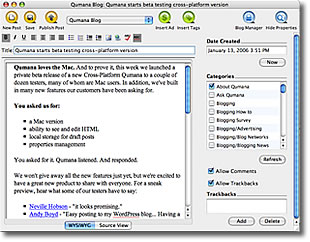
1. Qumana Blog Editor - Qumana is an easy-to-use desktop blog editor, enabling you to write, edit and post to one or more blogs.


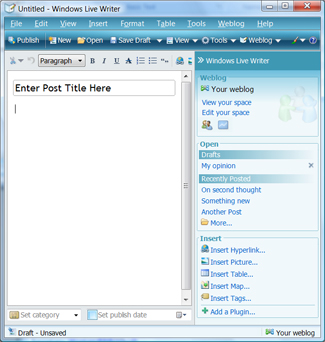
2. Windows Live Writer - Windows Live Writer Beta is a desktop application that makes it easy to publish rich content to your blog.


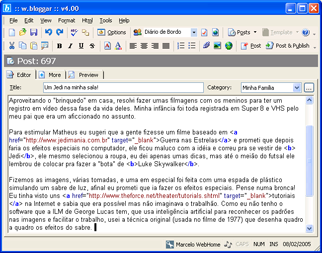
3. w.bloggar - The w.bloggar is an application that acts as an interface between the user and one or more blog(s); in other words, it is a Post and Template editor, with several features and resources that the browser based blog editors do not offer.


4. BlogMate - BlogMate is a free, graphical plug-in (+ a bundle too) for the popular TextMate editor that enables creating and editing blog posts for MetaWeblog-enabled blogs, Twitter, and Jaiku accounts from a floating palette within TextMate.

5. BlogDesk - BlogDesk is totaly free of charge and optimized for the blog systems WordPress, MovableType, Drupal, Serendipity and ExpressionEngine as well as the bloghosters Blogg.de and Twoday.net.

6. Bleezer - Bleezer is a powerful blogging client. And it’s free.

7. Post2Blog - Post2Blog 3 is a FREEWARE handy blog editor with live spell-checking support for pro-bloggers.

8. The Zoundry Blog Writer - The Zoundry Blog Writer™ is a full featured editor that makes posting to your blog easier and faster.

9. Thingamablog - Thingamablog is a cross-platform, standalone blogging application that makes authoring and publishing your weblogs almost effortless. Unlike most blogging solutions, Thingamablog does NOT require a third-party blogging host, a cgi/php enabled web host, or a MySQL database. In fact, all you need to setup, and manage, a blog with Thingamablog is FTP, SFTP, or network access to a web server.

10. AIRPress - AIRPress is a rich blog editor based on AIR technology. With AIRPress, you could easily upload media (images, videos, mp3…) without the need of another software or hosting.

Online and browser-based blog editors

11. webpad - webpad is a web-based text editor which gives you access to files from any of the following locations;

* Your own computer (via file upload)
* The server that webpad is installed on (via direct file manipulation)
* Any FTP server (via FTP file operations)
* Any website (via remote file requests)
* Popular blogging tools (Blogger.com, MovableType, TypePad, LiveJournal, blosxom, WordPress)
* Other data sources via a flexible plugin system

12. ScribeFire - ScribeFire (previously Performancing for Firefox) is a full-featured blog editor that integrates with your browser and lets you easily post to your blog. You can drag and drop formatted text from pages you are browsing, take notes, and post to your blog.

13. Xinha Here! Firefox Extension - Xinha Here! is a Firefox extension wrapper for the Xinha HTML editor. It enables WYSIWYG editing in any textarea and text box on any website. Xinha Here! opens a Xinha HTML editor in your browser allowing you to edit the data in a WYSIWYG on any website without copying and pasting to secondary HTML editor.

14. Flock - Flock is a social web browser based on Firefox. It lets you easily post anything on your blog with its Blog Editor.

15. WriteToMyBlog - WriteToMyBlog is a free web based word processor for your Blog. Create Post Entries for your Blog from right here, completely free, no membership required, can Post to multiple Blogs simultaneously, manage your Posts, works with all major Blog programs, and is easy-peasy!

16. Google Docs - Free web-based word processor and spreadsheet, which allow you share and collaborate online.

18. WYSIWYG Plugin For Wordpress - This plugin replaces the default Wordpress wysiwyg(what you see is what you get) editor with a more advanced version.

Now, Choose your favorite blog editor


Read more...

What is SEO (Search Engine Optimization)?

Posted by ruLee | Wednesday, November 26, 2008 | , | 0 comments »

What is SEO (Search Engine Optimization)?
SEO) is the art of creating Web pages that will rank high in search engine returns. SEO is accomplished by optimizing certain sections or "elements" in the HTML coding of each page. These sections are specifically read by search engines and, depending on the level of optimization, can create a greater likelihood of free referral traffic.

There are several methods and opinions about how a web page should be optimized, and much will depend on the type of site, its content, purpose and competition, if relevant. But in general search engine optimization relies heavily on the proper use of keywords and keyphrases that describe the site's content.

Keywords should first appear is in the TITLE section of the page's source code. They should also appear in the META description section where the page is accurately described by repeating the keywords. The META keywords section will also contain keywords or keyphrases describing the site's product, services or content.

Ideally, the source code for each subsequent page in the site will also have its own unique keywords listed. Each page title should use one or more of these unique keywords for maximum search engine optimization.

Since SEO relies so heavily on keywords, the most important keywords and keyphrases should be used liberally in the first two paragraphs of the content of each page, then sprinkled throughout the body. The last paragraph of every page should also be keyword rich. A suggested rule of thumb is to reach for keyword density between 5-15%. Judgment must be used to invoke keywords liberally without getting too repetitive. It may also help to use bold or italics on a keyword or two, but avoid doing this to excess.

Another important placement for keywords is in the H1 and H2 header fields of each page. The most important keywords or keyphrases should be found here.

Other tricks for helping search engine optimization or SEO are naming image files and anchors with keywords. Anchors, also called crosslinks, are references to other pages within the site.

Finally providing links to and from external sites, called backlinks is also important, as search engine spider bots navigate by links. The text in your page that points to external links can contain keywords too.

Tutors for search engine optimization are available online for those willing to optimize their own sites. There are also many SEO companies that will provide the service at a cost. Some caution should be used in securing a contractor to make sure that what is being promised is feasible, realistic and cost-effective.

Whether performing your own search engine optimization or hiring a contractor, with the billions of web pages on the Internet and the hundreds or even thousands of "hits" that can be returned from any single online search, SEO is a necessity for anyone looking to benefit from search engine traffic.
SEO is the process and practice of optimizing your website so that it ranks well on search engine results pages (or SERPs). When someone types a word or phrase into search engines (like Google) looking for your product, you want to appear on the first or second page of the search results.

It's intellectually interesting to know that there are 917,846,342 different websites that are relevant to the search query, but really, if your website doesn't appear in the first 10 pages (or first 100 results), it's invisible to the world.
SEO is one of the most effective things you can do online, getting your web site optimized in such a way that the search engines will reward you by basically sending traffic your way. SEO is not really that simple, but the bottom line is, if your page is optimized both on page and off, you generally get higher natural search engine rankings, which leads to traffic for you.

If you’ve spent time online recently, you’ve probably read the term “SEO,” or “Search Engine Optimization. But what does it mean, exactly? “SEO” is a term that is used to describe the process by which traffic to a particular site is increasingly generated by search engines by way of search results. The quality of visitor traffic to a site can be measured by analyzing how often a visitor who uses a specific keyword phrase in a search actually performs what is known as a “conversion action.” That is, how often those visitors make a purchase, download materials, request information, or interact with the site in any other way that indicates interest in the product or service the site offers.

Simply put, SEO is marketing through an understanding of how search algorithms work combined with a knowledge of what human users might search for. The end goal is to create a site that contains words for which people will likely search when looking for information such as that contained on your site.

SEO is an extremely powerful tool online – use SEO wisely!
Do you want to learn more about how I do it? I have just completed my brand new guide to article marketing success, ‘Your Article Writing and Promotion Guide‘


Read more...

Blogging Questions & Answers 26

Posted by ruLee | Tuesday, November 25, 2008 | , | 0 comments »

Blogging Questions & Answers 26
This Friday we have some great questions from the readers. I am having a lot of fun answering to them, so keep them coming! You can ask a question by leaving a comment below on this post.

1. Sap Abap asks:
In spite of having good content (at least i presume like so),internal and external linking,page rank two,promoting it with my proved blog,using possible SEO techniques for blogpost my new blog about programming is not getting considerable traffic.

I mean to ask how much time i have to wait to see the results?

What else i can do to make it better visible with search engines?

This is a frequent question among people starting new blogs. The answer obviously depends on how old your blog is, and on how much traffic we are talking about, and on how much experience you already have.

Given that you have not provided numbers, I will try to give a more generic view of the issue.

For a person with no prior Internet experience, starting his first blog, I would say that the first two months are going to be slow. I wouldn’t worry about the traffic on that period anyway, but rather about learning the basics and making some contacts with other bloggers.

By the third month I think that the new blog should be getting at least 100 uniques a day, and after six months a good number to aim to is 500 uniques a day.

Now obviously those are ballpark numbers and they will vary a lot depending on your niche, creativity, and on how fast you learn and implement things.

If the person already have a basic knowledge about websites and Internet marketing, hitting 1,000 daily uniques or more after a couple of months is not an impossible thing.

Finally, as far as search engines are concerned, even if you have experience and a blog growing fast it will take some time for the organic traffic to kick in. You should start to see some keywords ranking well after three months already, but the massive traffic usually take six months or more.

2. Ted Murphy asks:

Most of the SEO strategies I read about are how to promote a blog. How about promoting a commercial website? How would I promote Dominos Pizza, for example? They have an awesome website, but when I search for “deliver pizza”, no joy.

I just think its much tougher for a commercial website to get links. Can a company purchase links to get higher search results? How would that work?

Good question.

Promoting a commercial website is tougher indeed, mainly because Internet users have a natural bias against commercial websites. Bloggers will be less likely to link to it, social media users will be less likely to bookmark or share its pages and so on.

The first thing I would do on my commercial website would be to put a blog there. It is important to give the blog its own sub-domain or sub-folder, and to make the design unique. The more you manage to isolate the blog from the commercial aspect of the site, the better. Now you probably know all the tips and tricks to promote blogs, so I won’t talk about them on this answer.

After that I would try traditional promotional methods, including web directories (good and hand picked ones), article marketing and so on.

Paid links and sponsored reviews are a tricky thing. Google clearly states that they don’t allow this practice, but I also think that the majority of the commercial websites out there engage in link buying, in way or another. I think this is an individual decision that each business owner must make.

Finally, there is one positive side about promoting a commercial site too. That is, the fact that you are selling something. When you have revenues coming from a product or service, it becomes much easier to plan marketing and advertising strategies. It is just a matter of find channels where the money that you will spend will return in a larger amount in the form of sales.

3. Transcriptionist asks:

It is obvious that recession is going to affect almost all sectors except essential commodities/factors of living, but I do see it as a booming season of traffic for bloggers as people will cut down on outdoor entertainments and luxuries and withdraw to indoor entertainments like TV and net surfing. On the negative side for bloggers, advertisers may cut down their budgets. How do you see the recession would affect bloggers - positive or negative? If negative, do you have any tactics for surviving the recession for bloggers?

Overall I think it is going to be positive for bloggers and Internet marketers in general.

First of all, as you mentioned, I think that more people will head to the web for a variety of reasons. Some people will consume more of their entertainment online, others will start using the web as their news and learning sources. All because the web is free and accessible.

Overall, therefore, a see increased traffic on the web, and new opportunities for the people that work with it.

As for advertising, I am not sure if the overall effect will be negative. From one side there will definitely be a downside pressure on the advertising budgets of most companies, but the question we need to ask ourselves is where that pressure will impact (i.e. in what section of their budgets). Personally I think that television, radio and print will suffer most of those advertising cuts, while the online advertising budget might stay stable.

Why? Because the Internet is by far the most reliable and controlled medium. You might not be able to reach tens of millions of people as you do with television, but you have a much tighter control of who will see your message, how much you spend on it, and what kind of results it will deliver. Being able to interact with your consumers directly and to track the results carefully is very important when companies have a limited advertising budget.

So what do I think bloggers and webmasters should do in the face of the upcoming recession? Keep working on your sites, focus on delivering value, and you should be able to outstand it without major problems.

4. Farrhad asks:

What type of posts do well on Stumble Upon?

First of all your content needs to be useful and unique if you want to attract visitors from social bookmarking sites. I guess you knew that part though.

On StumbleUpon, there are some niches that perform particularly well, including humor, tech, and video content.

Another important factor to consider when promoting with StumbleUpon is the design of your site. Contrary to other social bookmarking sites, users won’t see a link or description of your article before they click to read it. Instead, they will go straight to your site page, boom! If upon arriving there they don’t like what they see (i.e. too much ads, ugly site, poor navigation and layout structure), they might go away even before having a chance to read your content.

5. Satish asks:

Would you delete any posts/article from your blog, which doesn’t provide any value after a certain time?

Ex:- If you think of starting a forum and you announce it on a blog post. After a while you change your mind and drop the idea of designing the forum. Now will you delete the old post(announcement post)? Because that article would make no sense for the future and your readers any get confused and they may start searching for the forum.

No, I would never delete a post or article, unless it contained some information that could cause me problems (legal problems, for example).

On your example about announcing that you would launch a forum and them giving up on the idea. I don’t see any problem if a visitor would happen to view that post after some time. All it would communicate to the visitor is that you had an idea, but it didn’t work out.

Those posts are useful anyway to connect the dots, and to show where you are coming from and what you might have done in the past. Additionally, they will still be indexed by search engines, and they might bring in some traffic. Even if the post per se is not useful, that visitor might get curious and visit other pages on your site.

6. Ben Evert asks:

I know you have written about Twitter, but is it a good source to build blog traffic or is it a waste of time? Any blog success stories from using Twitter to grow a blog?

My personal instance in this is: blog more, twitter less.

I think Twitter is a useful social networking tool, and if you want to connect with your readers or fellow bloggers it might be smart to have a presence there.

If your main goal is traffic generation, however, I wouldn’t spend too much time on Twitter.

You got think about where your Twitter followers will come from. For most people, they will come from their own blogs, so your Twitter followers will also be RSS subscribers and visitors of your site.

In that case, tweeting them with your latest posts will have a minimal effect. Sure, you might see some traffic coming from Twitter on your web analytics program, but would that traffic vanish if you had not used twitter for it? I don’t think so, I think those same twitter visitors would have seen your RSS feed or visited spontaneously your blog some time after, so you are just switching the trigger that got them on your blog.

If, however, you are able to gain Twitter followers from external sources (e.g., from guest blogging, from friends that will plug your twitter account and so on), then some real traffic might result.

7. Aarne asks:

Should I remove no-follow attribute from comments authors links?

I have no problems with Spam in my blog and every comment that appears on my blog is really legitimate. Currently I’m removing no-follow from every comment if author has already approved comment. All other will have no-follow removed after 3 days. Is it good practice?

If your goal is to increase the number of comments, this could work. You would need to let visitors know about your do-follow somehow though, else it will have no effect. One thing you could do is to place a badge on the sidebar or above the comments section saying that you reward your commentators with a real link.

Personally I don’t link this strategy though. I think that is a visitor is engaged by your content and has something interesting to say, he will leave his comment no matter what.

Secondly, it can have some adverse effects too. The first one is spam comments as you mentioned. The second one is search engine problems, as some users could leave a link pointing to a malicious website, and you would not even know about it.

8. SEO Genius asks:

My blog currently gets less than 1,000 uniques per day and I am very eager to break that 1,000 uniques per day threshold.

I was wondering what strategies you could give me for breaking that threshold?

I would assume that you are cose to getting on the 1,000 uniques per day mark, right? At least above 500 uniques a day, which is more than half way there.

In that case you could launch a contest or promotion to leverage your current traffic. There are several ideas that you could try, including an SEO competition, an article competition, or simply a contest with prizes for people that talk about your blog.

Another solid strategy is mass guest blogging. That is, prepare some 10 top notch articles related to your niche, and pitch them to 10 popular SEO blogs. Make sure to schedule all those posts on a space of 10 days. This would make sure that readers on that niche would see your name over and over again, getting them curious to check your blog.

Finally, make sure to have some top quality articles published to receive those visitors as well. If you want to convert them into loyal visitors, they need to visit your blog, read a couple of articles and think: “Shit, this is some useful stuff, I better come again here in a couple of days to see the new content.”

source:www.dailyblogtips.com


Read more...

20 Analytics Tools For Blogs

Posted by ruLee | Tuesday, November 25, 2008 | , , , | 0 comments »

20 Analytics Tools For Blogs
There are a lot of data points that can be meaningful for tracking blog effectiveness. That is, tracking what happens when visitors arrive at and engage with your blog content. It really comes down to the purpose of your blog. Metrics for a blog that’s focused on making a web site more search engine friendly by adding crawlable content and attracting links is quite different than a blog that’s meant to build thought leadership or brand credibility.

Many of the metrics tools used for blogs are also used for basic web site analytics. That makes sense because many blog initiatives do not have the same kind of budget as web site marketing programs do. Therefore, the analytics employed tend to be low(er) or no cost.

Regardless of the purpose, I’ve assembled a list below of the various tools we use, or have tested to report onsite blog metrics. Pick the service or tool you like the most from the list below or something new for your unique purpose and please share in the comments. The list is in no particular order.

* 103bees - Free web stats (ad supported) up to 100k visits per month, then it’s $9
* Enquisite - Free, extremely detailed web stats
* Hittail - Provides suggested topics for your blog by keywords used in referral traffic
* Crazy Egg - Provides overlay, list and heat map web stats
* RobotReplay - Lets you record visitor actions on your site and play them back
* Clicky - Web stats plus feed and Feedburner stats
* Google Analytics - Web stats, not really the best for blogs but it’s free
* StatCounter - Free web stats
* Co.mments - Track comment threads starting on your blog and follow them elsewhere in a feed
* Blog Tracker - Free from IceRocket but limited functionality
* Performancing Metrics - Basic is Free, or $3.99 to $16.99 per month for more features
* Site Meter - Basic Free and Premium versions $6.95 and up
* Mint - Popular web stats with bloggers for $30 per site
* MyBlogLog - Basic blog visitor stats and social networking. Free and paid versions.
* Feedburner Stats - StandardStats Free, TotalStats $4.99/mo
* Wordpress Stats - Free basic blog stats plugin for Wordpress blogs
* Google Analytics and Feedburner Stats - Free plugin for Wordpress blogs
* eXTReMe Tracking - Free web stats with a paid version for $4.50 per month
* Web Stat - Many web stats features for $5/mo
* TraceWatch - Free but you need access to your server which should be running PHP/MySQL


Read more...

What is Blog ???

Posted by ruLee | Monday, November 24, 2008 | | 0 comments »

What is Blog ???
A blog (a contraction of the term "Web log") is a Web site, usually maintained by an individual with regular entries of commentary, descriptions of events, or other material such as graphics or video. Entries are commonly displayed in reverse-chronological order. "Blog" can also be used as a verb, meaning to maintain or add content to a blog.

Many blogs provide commentary or news on a particular subject; others function as more personal online diaries. A typical blog combines text, images, and links to other blogs, Web pages, and other media related to its topic. The ability for readers to leave comments in an interactive format is an important part of many blogs. Most blogs are primarily textual, although some focus on art (artlog), photographs (photoblog), sketches (sketchblog), videos (vlog), music (MP3 blog), audio (podcasting), which are part of a wider network of social media. Micro-blogging is another type of blogging, one which consists of blogs with very short posts. As of December 2007, blog search engine Technorati was tracking more than 112 million blogs. With the advent of video blogging, the word blog has taken on an even looser meaning — that of any bit of media wherein the subject expresses his opinion or simply talks about something.

There are many different types of blogs, differing not only in the type of content, but also in the way that content is delivered or written.

1. Personal Blogs
The personal blog, an ongoing diary or commentary by an individual, is the traditional, most common blog. Personal bloggers usually take pride in their blog posts, even if their blog is never read by anyone but them. Blogs often become more than a way to just communicate; they become a way to reflect on life or works of art. Blogging can have a sentimental quality. Few personal blogs rise to fame and the mainstream, but some personal blogs quickly garner an extensive following. A type of personal blog is referred to as "microblogging," which is extremely detailed blogging as it seeks to capture a moment in time. Sites, such as Twitter, allow bloggers to share thoughts and feelings instantaneously with friends and family and is much faster than e-mailing or writing. This form of social media lends to an online generation already too busy to keep in touch

2. Corporate Blogs
A blog can be private, as in most cases, or it can be for business purposes. Blogs, either used internally to enhance the communication and culture in a corporation or externally for marketing, branding or public relations purposes are called corporate blogs.

3. Question Blogging

is a type of blog that answers questions. Questions can be submitted in the form of a submittal form, or through email or other means such as telephone or VOIP. Qlogs can be used to display shownotes from podcasts or the means of conveying information through the internet. Many question logs use syndication such as RSS as a means of conveying answers to questions.

4. By Media Type
A blog comprising videos is called a vlog, one comprising links is called a linklog, a site containing a portfolio of sketches is called a sketchblog or one comprising photos is called a photoblog.[4] Blogs with shorter posts and mixed media types are called tumblelogs.
A rare type of blog hosted on the Gopher Protocol is known as a Phlog

5. By Device
Blogs can also be defined by which type of device is used to compose it. A blog written by a mobile device like a mobile phone or PDA could be called a moblog.[5] One early blog was Wearable Wireless Webcam, an online shared diary of a person's personal life combining text, video, and pictures transmitted live from a wearable computer and EyeTap device to a web site. This practice of semi-automated blogging with live video together with text was referred to as sousveillance. Such journals have been used as evidence in legal matters.
Some blogs focus on a particular subject, such as political blogs, travel blogs, house blogs,fashion blogs, project blogs, education blogs, niche blogs, classical music blogs, quizzing blogs and legal blogs (often referred to as a blawgs) or dreamlogs. While not a legitimate type of blog, one used for the sole purpose of spamming is known as a Splog.


Read more...

43 Web Design Mistakes You Should Avoid

Posted by ruLee | Saturday, November 22, 2008 | , , | 0 comments »

43 Web Design Mistakes You Should Avoid
There are several lists of web design mistakes around the Internet. Most of them, however, are the “Most common” or “Top 10” mistakes. Every time I crossed one of those lists I would think to myself: “Come on, there must be more than 10 mistakes…”. Then I decided to write down all the web design mistakes that would come into my head; within half an hour I had over thirty of them listed. Afterwards I did some research around the web and the list grew to 43 points.

The next step was to write a short description for each one, and the result is the collection of mistakes that you will find below. Some of the points are common sense, others are quite polemic. Most of them apply to any website though, whether we talk about a business entity or a blog. Enjoy!

1. The user must know what the site is about in seconds: attention is one the most valuable currencies on the Internet. If a visitor can not figure what your site is about in a couple of seconds, he will probably just go somewhere else. Your site must communicate why I should spend my time there, and FAST!

2. Make the content scannable: this is the Internet, not a book, so forget large blocks of text. Probably I will be visiting your site while I work on other stuff so make sure that I can scan through the entire content. Bullet points, headers, subheaders, lists. Anything that will help the reader filter what he is looking for.

3. Do not use fancy fonts that are unreadable: sure there are some fonts that will give a sophisticated look to your website. But are they readable? If your main objective is to deliver a message and get the visitors reading your stuff, then you should make the process comfortable for them.

4. Do not use tiny fonts: the previous point applies here, you want to make sure that readers are comfortable reading your content. My Firefox does have a zooming feature, but if I need to use on your website it will probably be the last time I visit it.

5. Do not open new browser windows: I used to do that on my first websites. The logic was simple, if I open new browser windows for external links the user will never leave my site. WRONG! Let the user control where he wants the links to open. There is a reason why browsers have a huge “Back” button. Do not worry about sending the visitor to another website, he will get back if he wants to (even porn sites are starting to get conscious regarding this point lately…).

6. Do not resize the user’s browser windows: the user should be in control of his browser. If you resize it you will risk to mess things up on his side, and what is worse you might lose your credibility in front of him.

7. Do not require a registration unless it is necessary: lets put this straight, when I browse around the Internet I want to get information, not the other way around. Do not force me to register up and leave my email address and other details unless it is absolutely necessary (i.e. unless what you offer is so good that I will bear with the registration).

8. Never subscribe the visitor for something without his consent: do not automatically subscribe a visitor to newsletters when he registers up on your site. Sending unsolicited emails around is not the best way to make friends.

9. Do not overuse Flash: apart from increasing the load time of your website, excessive usage of Flash might also annoy the visitors. Use it only if you must offer features that are not supported by static pages.

10. Do not play music: on the early years of the Internet web developers always tried to successfully integrate music into websites. Guess what, they failed miserably. Do not use music, period.

11. If you MUST play an audio file let the user start it: some situations might require an audio file. You might need to deliver a speech to the user or your guided tour might have an audio component. That is fine. Just make sure that the user is in control, let him push the “Play” button as opposed to jamming the music on his face right after he enters the website.

12. Do not clutter your website with badges: first of all, badges of networks and communities make a site look very unprofessional. Even if we are talking about awards and recognition badges you should place them on the “About Us” page.

13. Do not use a homepage that just launches the “real” website: the smaller the number of steps required for the user to access your content, the better.

14. Make sure to include contact details: there is nothing worse than a website that has no contact details. This is not bad only for the visitors, but also for yourself. You might lose important feedback along the way.

15. Do not break the “Back” button: this is a very basic principle of usability. Do not break the “Back” button under any circumstance. Opening new browser windows will break it, for instance, and some Javascript links might also break them.

16. Do not use blinking text: unless your visitors are coming straight from 1996, that is.

17. Avoid complex URL structures: a simple, keyword-based URL structure will not only improve your search engine rankings, but it will also make it easier for the reader to identify the content of your pages before visiting them.

18. Use CSS over HTML tables: HTML tables were used to create page layouts. With the advent of CSS, however, there is no reason to stick to them. CSS is faster, more reliable and it offers many more features.

19. Make sure users can search the whole website: there is a reason why search engines revolutionized the Internet. You probably guessed it, because they make it very easy to find the information we are looking for. Do not neglect this on your site.

20. Avoid “drop down” menus: the user should be able to see all the navigation options straight way. Using “drop down” menus might confuse things and hide the information the reader was actually looking for.

21. Use text navigation: text navigation is not only faster but it is also more reliable. Some users, for instance, browse the Internet with images turned off.

22. If you are linking to PDF files disclose it: ever clicked on a link only to see your browser freezing while Acrobat Reader launches to open that (unrequested) PDF file? That is pretty annoying so make sure to explicit links pointing to PDF files so that users can handle them properly.

23. Do not confuse the visitor with many versions: avoid confusing the visitor with too many versions of your website. What bandwidth do I prefer? 56Kbps? 128Kbps? Flash or HTML? Man, just give me the content!

24. Do not blend advertising inside the content: blending advertising like Adsense units inside your content might increase your click-through rate on the short term. Over the long run, however, this will reduce your readership base. An annoyed visitor is a lost visitor.

25. Use a simple navigation structure: sometimes less is more. This rule usually applies to people and choices. Make sure that your website has a single, clear navigation structure. The last thing you want is to confuse the reader regarding where he should go to find the information he is looking for.

26. Avoid “intros”: do not force the user to watch or read something before he can access to the real content. This is plain annoying, and he will stay only if what you have to offer is really unique.

27. Do not use FrontPage: this point extends to other cheap HTML editors. While they appear to make web design easier, the output will be a poorly crafted code, incompatible with different browsers and with several bugs.

28. Make sure your website is cross-browser compatible: not all browsers are created equal, and not all of them interpret CSS and other languages on the same way. Like it or not, you will need to make your website compatible with the most used browsers on the market, else you will lose readers over the long term.

29. Make sure to include anchor text on links: I confess I used to do that mistake until some time ago. It is easier to tell people to “click here”. But this is not efficient. Make sure to include a relevant anchor text on your links. It will ensure that the reader knows where he is going to if he clicks the link, and it will also create SEO benefits for the external site where the link is pointing.

30. Do not cloak links: apart from having a clear anchor text, the user must also be able to see where the link is pointing on the status bar of his browser. If you cloak your links (either because they are affiliate ones or due to other reasons) your site will lose credibility.

31. Make links visible: the visitor should be able to recognize what is clickable and what is not, easily. Make sure that your links have a contrasting color (the standard blue color is the optimal most of the times). Possibly also make them underlined.

32. Do not underline or color normal text: do not underline normal text unless absolutely necessary. Just as users need to recognize links easily, they should not get the idea that something is clickable when in reality it is not.

33. Make clicked links change color: this point is very important for the usability of your website. Clicked links that change color help the user to locate himself more easily around your site, making sure that he will not end up visiting the same pages unintentionally.

34. Do not use animated GIFs: unless you have advertising banners that require animation, avoid animated GIFs. They make a site look unprofessional and detract the attention from the content.

35. Make sure to use the ALT and TITLE attributes for images: apart from having SEO benefits the ALT and TITLE attributes for images will play an important role for blind users.

36. Do not use harsh colors: if the user is getting a headache after visiting your site for 10 consecutive minutes, you probably should pick a better color scheme. Design the color palette around your objectives (i.e. deliver a mood, let the user focus on the content, etc.).

37. Do not use pop ups: this point refers to pop ups of any kind. Even user requested pop ups are a bad idea given the increasing amount of pop blockers out there.

38. Avoid Javascript links: those links execute a small Javascript when the user clicks on them. Stay away from them since they often create problems for the user.

39. Include functional links on your footer: people are used to scrolling down to the footer of a website if they are not finding a specific information. At the very least you want to include a link to the Homepage and possibly a link to the “Contact Us” page.

40. Avoid long pages: guess what, if the user needs to scroll down forever in order to read your content he will probably just skip it altogether. If that is the case with your website make it shorter and improve the navigation structure.

41. No horizontal scrolling: while some vertical scrolling is tolerable, the same can not be said about horizontal scrolling. The most used screen resolution nowadays is 1024 x 768 pixels, so make sure that your website fits inside it.

42. No spelling or grammatical mistakes: this is not a web design mistake, but it is one of the most important factors affecting the overall quality of a website. Make sure that your links and texts do not contain spelling or grammatical mistakes.

43. If you use CAPTCHA make sure the letters are readable: several sites use CAPTCHA filters as a method of reducing spam on comments or on registration forms. There is just one problem with it, most of the times the user needs to call his whole family to decipher the letters.


Read more...

Best of the Blog Widgets for Your Blog

Posted by ruLee | Friday, November 14, 2008 | | 0 comments »

A list of my favorite blog widgets:
* Swicki "Hot Searches" Buzzcloud (from Eurekster)
* Recent Readers (from MyBlogLog)
* Flash Photo Stream (from Flickr)
* Preview Anywhere (from Snap)
* "What Am I Doing" Twitter Badge (from Twitter)

* Film Loops (from FilmLoop)
* Number of Readers FeedCount (from Feedburner)
* "I'm online" Skype buttons (from Skype)
* del.icio.us Tagometer (from del.icio.us)
* del.icio.us Linkrolls (from del.icio.us)
* del.icio.us Network Badge (from del.icio.us)
* Timelines (from MyTimelines)
* Link Count (from Technorati)
* Polls (from PollDaddy)
* Now Playing (from SIGamp)
* BuzzBoost (from Feedburner)
* Books in my Library (from LibraryThing)
and these which are not really widgets, but plugins (for WordPress):
* Ultimate Tag Warrior (tag clouds)
* Share This (add to social bookmarking services)
* Recent Comments (recent comments in the sidebar)
Many more widgets listed in the Widgetoko and Widgetbox directories.

Just remember when "blinging" out your blog, not to overdue it. Think critically about the value to your reader of each badge / widget that you add, because it adds download time to your pages, which detracts from the user experience.


Read more...

Is a Blog the Right type of Web Site for you?

While I’m a big fan of blogging as a way to get content online - I’ve seen it built up by some bloggers over the years as being the ultimate way of having a web presence.

In my opinion this is just not true.

While Blogs are great (in my experience) they are not the ultimate type of website. They do not have all of the answers and they do not suit every application or situation.

It may be that after analysing your needs, personality, hopes, experiences and style that you find blogging does fit well for your purposes - but it may also be other web applications fit better with where you’re at. Don’t just rush into blogging and expect the world.

There are probably other people who are much better at selling you some of the other types of web applications out there (look into wikis, static websites, forums etc) so I’ll leave you to do your own research - but here is a list of 23 questions (written in no particular order except that it is the order they came out of my head in) that you might want to ponder before leaping into blogging. I’ve put a few brief comments next to each to get you going.

Please note that these questions are in essence a list of qualities of successful bloggers that I’ve come across over the last few years. If you don’t have some of these qualities it’s not the end of your blogging dreams. The list is idealistic and the questions are there to help potential bloggers enter into blogging with open eyes and making good decisions about whether a blog is right for them. It also might help potential bloggers to think about what type of blog they might start and what type of skills they might need to develop:

Without further ado - here’s my 23 questions:

1. Do you enjoy writing? - Blogs are predominantly a written medium. If you do not enjoy writing then the chances are you might not enjoy blogging.
2. What’s your Message? - While there are many applications for blogging, underlying most (if not all) of them is the aim of communicating some sort of message. Do you need/want to communicate something? Do you have a message? Starting a blog just because you want one might be fun, but it might also be a waste of time.
3. Are you a good communicator? - I don’t believe that only good communicators should have blogs - (they can be a tool for people learning communication skills to improve) but it can be an advantage to have some basic communication skills.
4. Are you better at writing or speaking? - Most communicators have a preference (or at least have better skills in one form or another). If speaking is more your thing you might want to consider Podcasting or even a Video based web site.
5. Do you want to be the central voice on your website? - While blogs are good at building community - they generally feature one person (or a smaller group of people) as the central voices in a conversation. Other people have to respond to the voice of others. If you’re after something where anyone can start a conversation then a Forum might be a better medium.
6. Are you a self starter? - Starting a blog takes a little initiative. While blog software these days makes it simple to start them, they don’t run themselves and take a motivated person to both getting them off the ground.
7. Are you disciplined? - Similarly blogs require regular attention over time. While daily posting is not essential, it’s probably a good level to aim for. Will you be able to motivate yourself to write something new every day?
8. Do you have time? - Linked to the need for regular updates is the fact that this takes time. Do you have enough time in your schedule to write daily? Not only that do you have time to moderate comments, respond to reader questions, read other bloggers posts, network with other bloggers etc?
9. Are you thick skinned? - If you start a blog, the chances are that it will be found and that others will write about you or some aspect of what you’re doing. This is great when the comments of others are positive and in agreement with you - but it’s not much fun when you’re critiqued (sometimes fairly and sometimes not). Do you have the ability to take criticism well?
10. Are you willing to be in the public spotlight? - Blogging is a public act. Every day you put yourself into the gaze of others. People will analyze your words and lifestyle. Some will want to know more about you and some might even recognize you in public (it’s happened to me a few times). While few bloggers (if any) are ‘celebrities’ - putting yourself ‘out there’ every day is a strange thing to live with and can have it’s consequences. Keep in mind that once you write something online it is very difficult to get it removed. You might be able to delete your blog but archives services (and other bloggers) pick up a lot of what you write and so you could be living in the public splotlight for a lot longer than you’re a blogger.
11. Do you have any technical ability? - If this were a requirement of blogging I’d have never gotten far, but it is an advantage to have the ability to learn and work on a technical level. You’ll be working on a computer with web based software and at times you’ll need to ‘tweak’ your blog. Knowing how to do it yourself can be very handy. If you’re not this type of person, you might want to make friends with someone who is.
12. Do you take yourself too Seriously? - One of the characteristic I think bloggers should have is a sense of humor - particularly when it comes to looking at themselves. While there are plenty of examples of bloggers who do take themselves too seriously, most successful bloggers seem to have the ability to laugh at themselves also.
13. Do you have a blend of humility and Ego? - Coupled with a sense of humor should be humility. While bigheadedness abounds in the blogosphere it’s often the humble blogger who ends up on top. Having said this having a healthy ego and view of your own worth as a person is also a good characteristic to have as there is an element of ’self promotion’ that comes into blogging at times. Getting this balance right is not always easy - but it’s worth working on.
14. Are you willing to learn? - I like to look at blogging as a journey where everyone knows something but nobody knows everything. This is the case on any topic you want to blog about and the best bloggers are willing to share what they know but seek out and promote what others know also. In this way everyone learns - even the ‘experts’.
15. Do you enjoy reading? - Being good at writing is very helpful - but so is the ability to read what others are writing. If I were to video tape myself over a day of blogging I suspect I’d find that I spend more time reading each day than writing. For every post I write I would read at least three.
16. Are you an organized person? - While I’m sure many bloggers are completely chaotic and unorganized - there comes a point in most serious blogger’s lives when they have to get at least a little organized. With incoming emails, following lots of feeds, writing perhaps on multiple topics/blogs and moderating comments all going on at once (plus more) it’s pretty easy for time to slip away without getting much done.
17. Are you a Social person? - There are many styles of blogging but when it comes down to it most bloggers have some sort of a desire to connect with readers. Some bloggers keep readers at an arms length (they might switch off comments and rarely respond to emails) but it’s probably an advantage to actually engage your readers in someway. If you don’t like people then this might be challenging. Another related question might be ‘are you an approachable person?’
18. Do you enjoy ‘virtual relationships?’ - Some of the most social people I know are terrible when it comes to online interactions. They just don’t ‘get’ it and are much better face to face than via email, instant messaging or in a forum or comments thread. Being comfortable with speaking to and working with people you’ve never met before is an advantage if you’re a blogger. Connected to this - it’s also important to be what I call ‘virtually intuitive’. One of the dangers of relating to people online is that all can not be as it seems. Developing the ability to work out whether others are who they say they are and of good character is probably a skill to develop.
19. Are you a creative person? - Once again this is not a ‘must’ - just an advantage. The web is a cluttered place and being able to develop content and community that stands out from the rest and that surprises readers is a big plus.
20. Do you have Stick-ability? - While some blogs are overnight successes, most are not. In fact many (most) blogs are never as successful as their owners would like. A long term approach is one of the basic pieces of advice that I’d give most bloggers.
21. Are you Consistent? - One of the common reasons that I see bloggers getting into trouble with their readers or other bloggers is that they change the way they approach their blogging midstream. Bloggers that are constantly changing the topic of their blogs, or who increase their expectations on readers suddenly, or who change the ‘voice’ that their blog is written in can end up losing the respect of their readers. While no one likes a boring blog - people do like to know what to expect to some extent.
22. Are you honest and transparent? - If you answer no to this one then you can expect to eventually be found out. While in real life it can be reasonably easy to keep secrets or be two faced - the blogosphere has a culture of people keeping an eye upon each other and digging where you don’t want them to dig. While you’ll want to develop boundaries around what you do and don’t blog about, you will need to be willing to disclose conflicts of interest and be willing to be held accountable for the things that you say.
23. Are you willing to work hard? - The level that you need to work on a blog will be dependant upon your goals and objectives for it - but if you have goals of being the next big thing then you’ll be guaranteed of a lot of hard work. Of course this is the case with any thing in life and not just blogs.

I’m sure there are plenty of other questions worth asking before deciding on whether a blog is right for you (feel free to suggest more below) but these are what comes to mind for me. In reading them back they almost read like a job interview for prospective bloggers!

Keep in mind that I’m coming from a background of blogging as a job and this will be reflected in my advice. As a result the above list might be more aimed at your serious blogger who is getting into blogging either as an entrepreneurial activity or with some sort of business application.


Read more...